BitImageToML
- MLModule
genre
author
package
dll
definition
see also
MLToBitImage,BitImageLoad,BitImageSave,BitImageArithmetic,TypeComposer,TypeDecomposer,ImagePropertyConvertkeywords
Purpose
The module BitImageToML converts a ml.BitImage connected at the Base input to an ML image at the output connector.
Usage
The input is a Base connector that must be a BitImage. All other connected Base objects will lead to an invalidated image output.
Windows
Default Panel
Input Fields
inputBitImage
- name: inputBitImage, type: BitImage(MLBase)
The input BitImage.
Output Fields
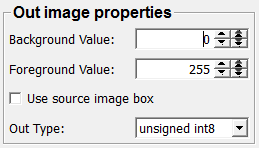
The module has an ML image output representing the input BitImage; minimum and maximum values as well as the type of the output image are provided by the module’s parameters.
output0
- name: output0, type: Image
Converted output ML image.
Parameter Fields
Visible Fields
Out Type
- name: outType, type: Enum, default: unsigned int8
Defines the data type of the output image.
Values:
Title |
Name |
|---|---|
int8 |
int8 |
unsigned int8 |
unsigned int8 |
int16 |
int16 |
unsigned int16 |
unsigned int16 |
int32 |
int32 |
unsigned int32 |
unsigned int32 |
float |
float |
double |
double |
int64 |
int64 |
unsigned int64 |
unsigned int64 |
Background Value
- name: backgroundValue, type: Double, default: 0
Sets the value in output image used for false BitImage voxels.
Foreground Value
- name: foregroundValue, type: Double, default: 255
Sets the value in output image used for true BitImage voxels.
Use source image box
- name: useSrcBox, type: Bool, default: FALSE
If checked, the BitImage is placed at its source box position; otherwise, it is located always at the origin.