GVRGeometryClipping
- MacroModule
author
package
definition
see also
Purpose
The GVRGeometryClipping module allows for clipping the GVR volume rendering with arbitrary OpenGL geometry.
The volume inside and outside of the geometry can be colored and can have a different alpha factor. If shading is enabled, the clipping surface is shaded consistently using the surface normals of the geometry.
Usage
Connect this module before a SoGVRVolumeRenderer and make sure to add a SoGVRRayCastSettings module.
If shading is desired, enable “Illuminated” render mode in SoGVRRayCastSettings.
Connect your clipping geometry to the input of this module.
Tips
This module only works well together with the GVR ray caster SoGVRRayCastSettings.
Windows
Default Panel
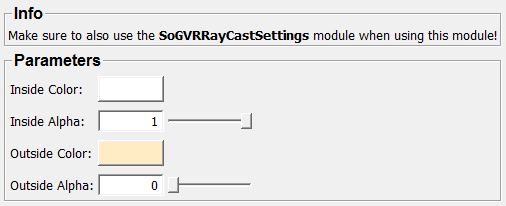
Input Fields
inGeometryScene
- name: inGeometryScene, type: SoNode
The input geometry that is used for clipping.
Output Fields
outScene
- name: outScene, type: SoNode
A node that should be placed in front of a
SoGVRVolumeRenderer.
Parameter Fields
Field Index
|
|
|
|
|
Visible Fields
Inside Color
- name: insideColor, type: Color, default: 1 1 1
Sets the color factor for the inside volume.
Inside Alpha
- name: insideAlpha, type: Float, default: 1, minimum: 0, maximum: 1
Sets the alpha factor for the inside volume.
Outside Color
- name: outsideColor, type: Color, default: 1 0.925490200519562 0.768627464771271
Sets the color factor for the outside volume.
Outside Alpha
- name: outsideAlpha, type: Float, default: 0, minimum: 0, maximum: 1
Sets the alpha factor for the outside volume.